
Cross-border payments, plainly priced
Send money abroad. Fast, secure, and priced in plain sight.
Monk Pay moves money between wallets in seconds, converts at the live mid-market rate, and puts every cost on its own line before you confirm.
Free to open. About two minutes. We verify your identity once, before you send.


Every cost on its own line live example
- You send
- 100.00 USD
- Transfer fee
- 0.50 USD
- Mid-market rate
- 1 USD = 1,353.4310 NGN
- Our margin
- 0.01%
- They receive
- 135,329.57 NGN
- You pay in total
- 100.50 USD
- Identity-verified accounts
- Optional two-step sign-in
- Card details go straight to Stripe
- Every fee shown before you confirm
Most transfers hide their price in the exchange rate.
A transfer can cost you in three places: a visible fee, a quiet mark-up on the exchange rate, and charges taken from your recipient. Many services only show you the first one.
The usual way
- A low or "zero" fee up front, with the real cost tucked into a less favourable exchange rate.
- One total that never says how much was fee and how much was rate margin.
- Surprise deductions when your recipient cashes out.
The Monk Pay way
- The mid-market rate shown as it is, and our margin shown separately as a percentage.
- Our fee on its own line, from the same schedule every customer sees.
- The cash-out fee estimated before you send, so nobody is surprised at the other end.
Try this with any service: ask for the fee, the exchange rate it uses, the mid-market rate, and exactly what your recipient receives.
How it works
Four steps, and you can see the price at every one of them.
Open a wallet
Sign up with your email, verify your identity once, and get a wallet. Add more currencies whenever you need them.
Add money
Top up by card or mobile money. The funds appear in your wallet once the payment is confirmed.
Send or convert
Choose a recipient, type an amount, and see what they will receive, with the fee and the rate on separate lines.
They get it
Between Monk Pay wallets it lands in seconds. They can keep it, convert it, or cash out to a bank or mobile money.
Try it with your own numbers.
The fees and exchange rate here come from the same system that processes real transfers, so what you see is what you would pay.
Every cost on its own line live example
- You send
- 100.00 USD
- Transfer fee
- 0.50 USD
- Mid-market rate
- 1 USD = 1,353.4310 NGN
- Our margin
- 0.01%
- They receive
- 135,329.57 NGN
- You pay in total
- 100.50 USD
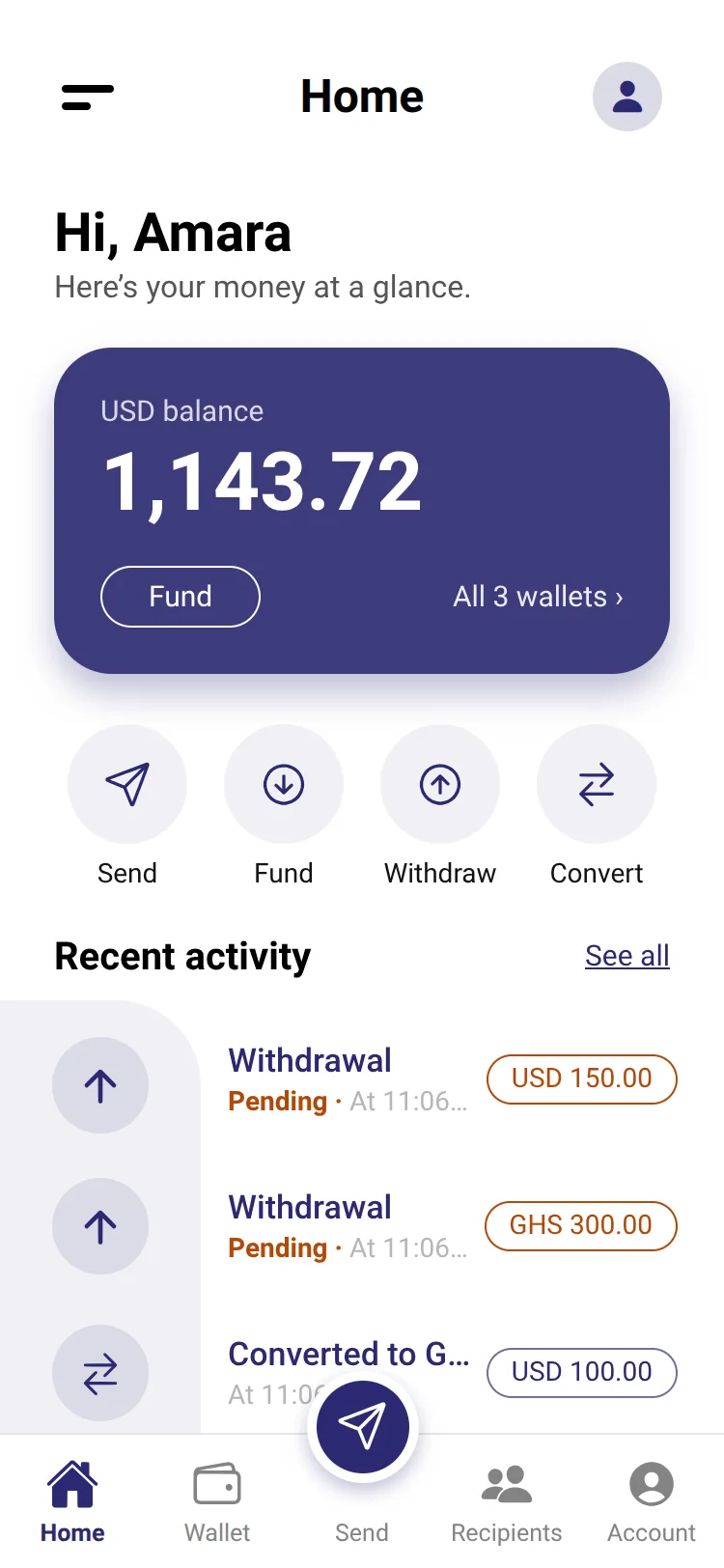
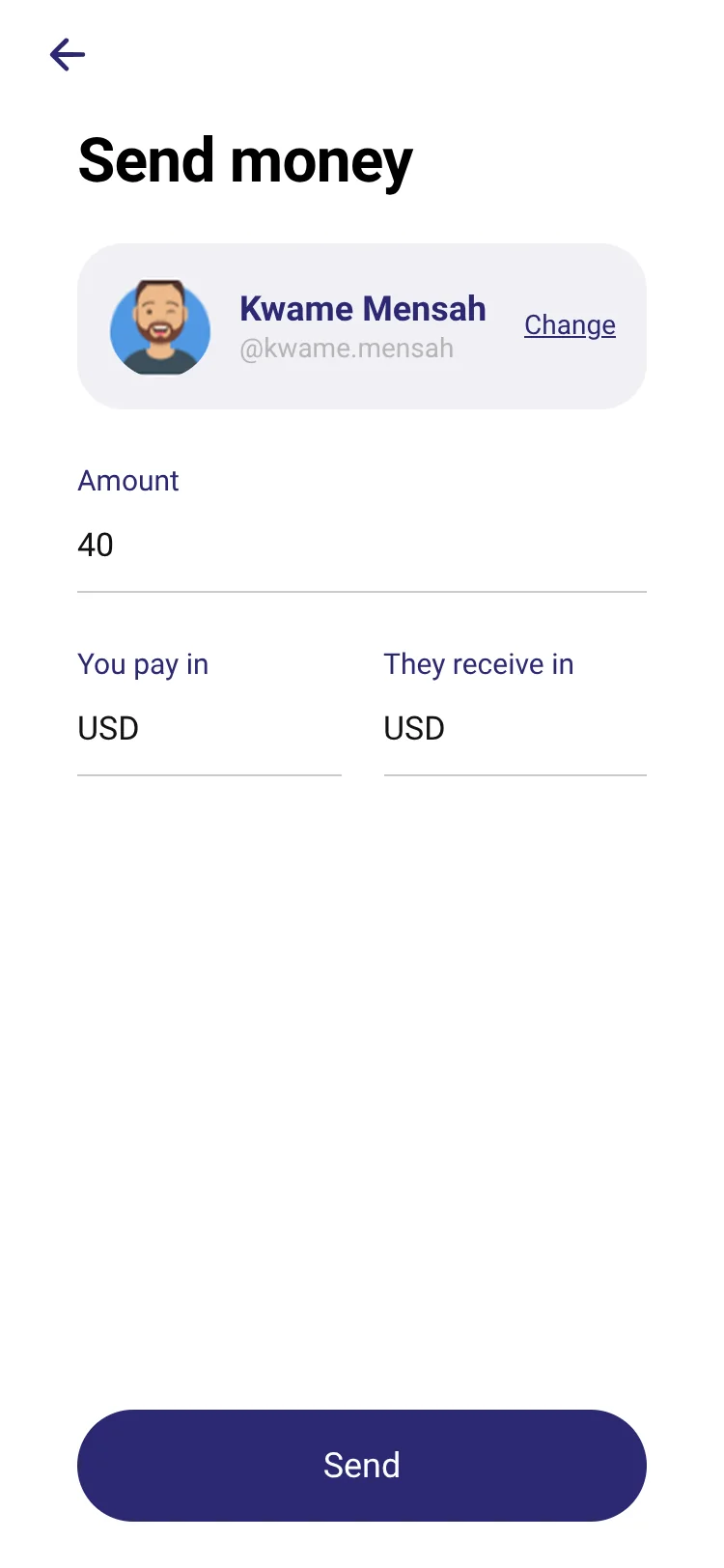
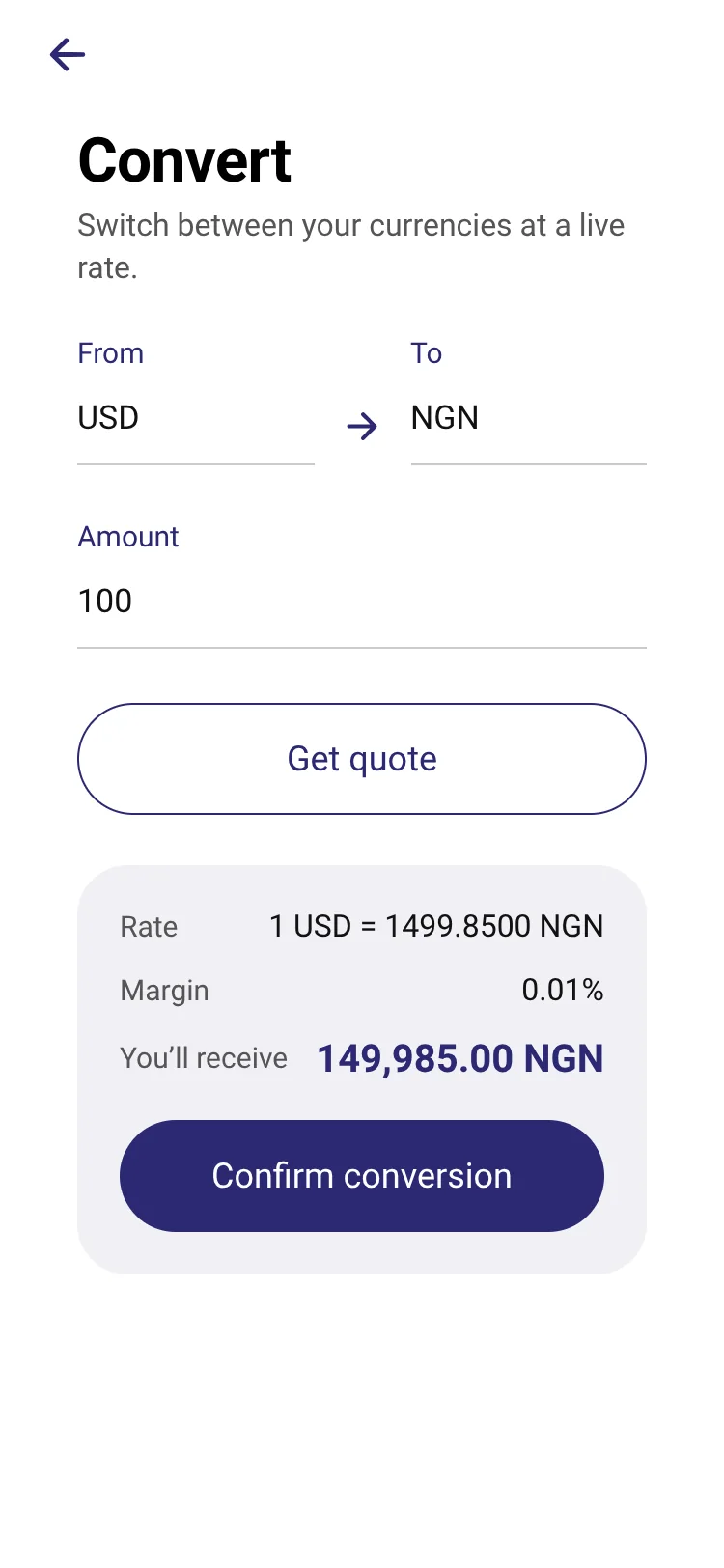
The app, as it really looks.
These are screens from the Monk Pay app, with sample data.
Take Monk Pay with you.
Send, convert and track every cost from your phone. Free to download on iPhone and Android.
Security you can read about, not just trust.
We would rather explain how we protect your money than ask you to take our word for it.
Your identity is checked once
A government ID check by a specialist partner before you can send or withdraw, so the people on Monk Pay are who they say they are.
A second lock on your account
Turn on an authenticator app and a stolen password alone is no longer enough to get in.
Card numbers never reach us
You type card details into a form hosted by Stripe. Our servers never see them.
Everything leaves a trail
Transfers cannot be applied twice, balances cannot go below zero, and our own team's actions are logged.
How we protect your money
Quick answers
What does Monk Pay cost?
Sending to another Monk Pay wallet costs 0.5% of the amount. When the currency changes, we also apply an exchange-rate margin (currently 0.01% by default), shown as its own line. Withdrawing to a bank or mobile money: No Monk Pay fee. The calculator above shows exact figures for your amount.
How fast is it?
Transfers between Monk Pay wallets are recorded instantly. Adding money and cashing out depend on the payment method: cards and mobile money confirm quickly, bank payouts depend on the bank. The app shows the status of every payment.
Is Monk Pay a bank?
No. Monk Pay is a payments service. Read the footer and our terms for who operates it and how it is regulated.
What do I need to sign up?
An email address, a phone number, and a valid government ID for the one-time identity check. It takes about two minutes.
Can I see all the questions?
Of course: the full FAQ answers the rest.
Open your Monk Pay wallet in two minutes.
Free to open. Verify your identity once, then send, convert and receive with every cost shown up front.